Why Use Our Tools?

Easily download content with a simple copy-paste.

Enjoy our tools without fees or subscriptions—use our tools as much as you want.

Skip the sign-up. Just paste a valid link and download instantly—no login required.

Experience high-speed tools, optimized for performance.

We never store your data or content. Enjoy peace of mind with security.

Works on any browser or operating system.
🛡️ Welcome to Toolsary — Tools That Empower You Online
In the fast-paced digital world, we all need reliable tools to stay safe, creative, and efficient. Whether you’re protecting your accounts, generating codes, or grabbing media with ease—our suite of tools is designed to make your life smoother. Let’s explore how you can get more done (and stress less) with these handy utilities.
🔐 Password Generator & Password Strength Checker
Why You Need a Password Generator
Creating a strong, unique password for every account is one of the best defenses against hackers. But coming up with one yourself? That’s inconvenient. That’s where a secure password generator and strong password generator come in handy. Use a random password generator or online password generator to instantly get passwords that mix letters, numbers, and symbols unpredictably.
You might wonder: is password generator safe? Yes—so long as the tool generates passwords locally or over encrypted connections, and doesn’t log or reuse them. It’s a far better option than sticking with “password123” or some predictable phrase.
How Does a Random Password Generator Work?
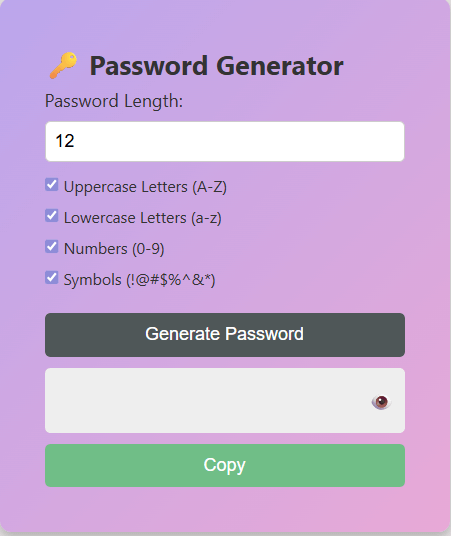
At its core, the generator picks random characters (uppercase, lowercase, digits, symbols) and mixes them. A good version will allow you to control length and include or exclude certain types of characters. That way, you can tailor it for Microsoft, Google, or system-compliant rules.
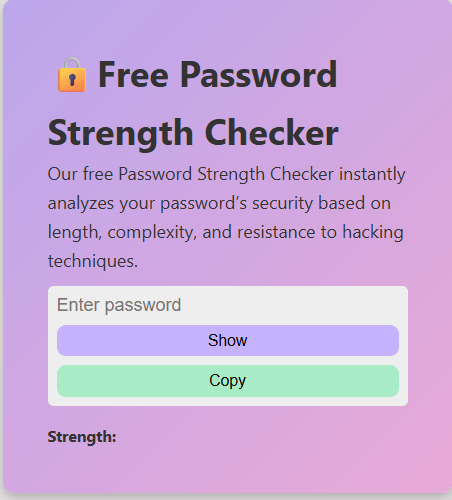
Once you have a password, run it through a password strength checker (or online password strength checker) to see how robust it really is. These tools analyze things like uniqueness, entropy, and pattern predictability.
Pro Tips & Tools
- Use password management apps like Google Password Manager or Dashlane that integrate with password generator apps so you don’t have to remember them all.
- Build your own password generator script if you’re tech-savvy!
- Always check password strength with a password test tool before using it.
📷 QR Code Generator — Bridging Real & Digital Worlds
QR codes are everywhere these days—menus, business cards, posters, product packaging. They let you turn something physical (a flyer or a poster) into a clickable link.
Why Use a QR Code Generator?
QR code generator for free / online QR code generator tools make it easy to spin up codes instantly.
- Good ones let you customize, track, and even change the target link after printing (dynamic QR codes).
- Many offer templates for tools like Canva or Adobe.
How QR Code Generators Work
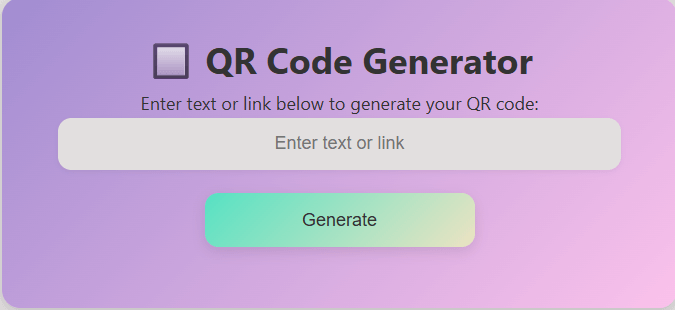
You feed in a URL, text, or other data, and the tool encodes it into that square barcode pattern. When someone scans it, it opens your target link.
Tips: Use only trusted QR generators, and place codes in visible spots!
🎬 TikTok Video Downloader — Save & Share with Ease
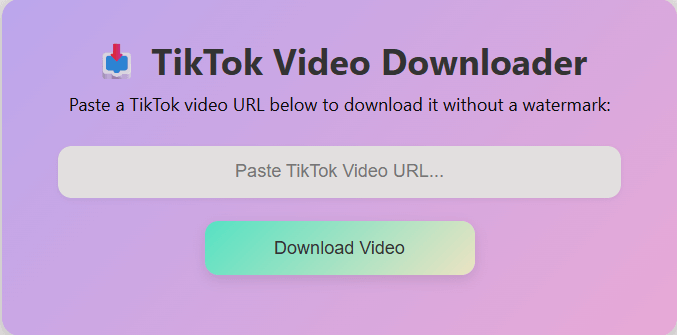
Seeing a video you like on TikTok and want to keep it? A tiktok video downloader lets you save it to your device—usually as an MP4—for later viewing, reposting, or offline use.
- Look for TikTok video downloader without watermark for clean saves.
- Available for PC, iPhone, and Android.
- Always consider content copyright before downloading.
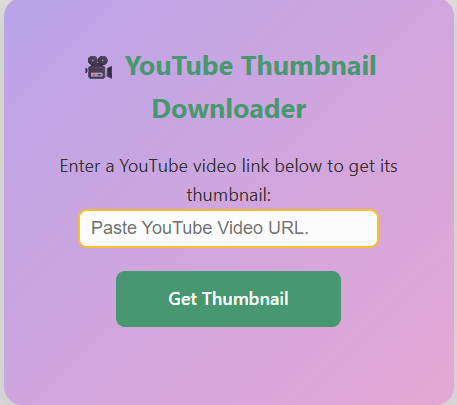
📈 YouTube Thumbnail Downloader — Grab the Perfect Frame
When you want to showcase a video on your blog, social media, or ad—this tool extracts the high-quality thumbnail image from a YouTube video.
- Supports 1080p / full HD downloads
- Easy-to-use paste-and-download functionality
- Works on both desktop and mobile
🔄 Putting It All Together: One Suite for Everything You Need
Here’s how these tools can fit into your daily workflow:
- Generate a strong password using your secure password generator
- Check its strength using a password strength checker
- Create a QR code to link to your TikTok or YouTube channel
- Download your TikTok videos or extract YouTube thumbnails for content
- Use these assets in your websites or campaigns
Together, they form a practical, powerful toolkit for creators, professionals, and everyday users.
🌍 Why Toolsary Exists — Solving Everyday Digital Problems
The internet has become an essential part of modern life. From communication and education to business and entertainment, almost everything we do now involves digital platforms. However, convenience often comes with complexity. Many users struggle with security risks, confusing software, and tools that are either overloaded with ads or difficult to use.
Toolsary was created to simplify these challenges. Instead of forcing users to download heavy software or register for unnecessary accounts, Toolsary provides lightweight, browser-based tools that work instantly. Each utility is designed to solve a specific problem clearly and efficiently.
Our focus is on accessibility, clarity, and usefulness. Whether you are managing passwords, creating QR codes, or working with online media, Toolsary helps you complete tasks faster while understanding what you are doing and why it matters.
🧠 Understanding Online Security in Simple Terms
Cybersecurity is no longer a concern only for large companies. Everyday users face risks such as phishing attacks, account takeovers, and data leaks. One weak password or careless click can lead to serious consequences.
That’s why tools like password generators and password strength checkers are so important. They help users avoid common mistakes like reusing passwords or choosing easy-to-guess combinations. A strong password acts as the first and most important layer of digital protection.
Toolsary promotes security awareness by not only offering tools but also explaining best practices. When users understand why certain actions are safer, they are more likely to protect themselves consistently across all platforms.
📌 How QR Codes Improve Communication & Accessibility
QR codes have transformed the way people share information. Instead of typing long web addresses or searching manually, users can access content instantly by scanning a code. This saves time and reduces errors, especially on mobile devices.
Businesses use QR codes for menus, payment links, promotions, and customer feedback. Educators use them to share learning materials. Event organizers use them for registrations and schedules. Even individuals use QR codes to share social media profiles or contact details.
The Toolsary QR Code Generator is designed to make this process simple for everyone. You don’t need design skills or technical knowledge. Just enter your information, generate the code, and use it wherever you need.
🎥 Responsible Use of Media Download Tools
Online video platforms like TikTok and YouTube are full of creative and educational content. Sometimes users want to save videos for offline access, study, or inspiration. Media downloader tools make this possible with just a few clicks.
However, responsible use is essential. Downloaded content should respect the rights of original creators and follow platform rules. Toolsary encourages ethical usage and provides tools intended for personal, educational, and fair-use purposes.
By offering clear explanations and encouraging respectful behavior, Toolsary helps users make informed choices while enjoying the convenience of online tools.
⚡ Performance Matters — Built for Speed & Simplicity
Slow websites and complicated interfaces frustrate users. Toolsary focuses on performance and simplicity so that tools load quickly and work smoothly on all devices.
All tools run directly in your web browser. There is no need to install software, browser extensions, or mobile apps.
Our lightweight design ensures that users with slower internet connections can still access and benefit from our tools without interruptions.
🔒 Privacy, Transparency & User Trust
Trust is essential for any online platform. Users need to know that the tools they use respect their privacy.
Passwords generated by our tools are not stored, tracked, or shared. QR code data is processed only to generate the code.
Clear explanations, visible policies, and responsible design choices help create a transparent environment where users feel safe using our services.
📚 Learning While Using — Digital Awareness for Everyone
Toolsary believes that understanding technology is just as important as using it.
That’s why Toolsary includes educational explanations alongside each tool.
Over time, this knowledge helps users become more confident and independent in managing their digital lives.
🚀 The Future of Toolsary
Toolsary is continuously evolving to meet changing digital needs.
Our long-term vision is to build a comprehensive platform where tools, education, and trust come together.
Feedback from users plays a key role in shaping future updates.
✅ A Complete Toolkit Designed for Real People
Toolsary is built for real-world use.
It provides confidence and clarity in the digital world.
Toolsary is here to make your online experience safer, easier, and more productive.
⚙️ How Our Tools Work
At Toolsary, we focus on simplicity, transparency, and user safety. All our tools are designed to work directly in your browser without requiring downloads, registrations, or personal data. Below is a clear explanation of how each tool functions and how it helps you get results quickly and securely.
Password Generator
Our Password Generator creates strong, random passwords using advanced character combinations. You choose the length and complexity, and the password is generated instantly in your browser. We never store, track, or transmit your passwords — everything happens locally for maximum security.
Password Strength Checker
The Password Strength Checker analyzes your password based on length, character diversity, and predictability. It provides real-time feedback to help you understand how secure your password is and how to improve it without saving or logging any input.
QR Code Generator
Simply enter a URL or text, and our QR Code Generator instantly converts it into a scannable QR code. The process is fast, accurate, and requires no technical knowledge. Generated QR codes can be used for business, education, or personal sharing.
TikTok Video Downloader
Our TikTok downloader processes publicly available video links and provides a downloadable format for offline viewing. The tool does not host or store content and is intended for educational, personal, and fair-use purposes only.
YouTube Thumbnail Downloader
Paste a YouTube video link, and our tool extracts the available thumbnail images in high resolution. This helps creators, designers, and marketers quickly access preview images without complicated steps or software.
Privacy & Security
All Toolsary utilities are designed with privacy-first principles. We do not require login, do not collect personal data, and do not store user inputs. Your activity remains private, secure, and under your control at all times.
Frequently Asked Questions
✅ TikTok Downloader – FAQs
Yes, our free TikTok downloader lets you download videos without watermarks. Just paste the TikTok video link and download clean, high-quality videos.
Downloading TikTok videos is legal for personal use or if the creator has granted permission. Always follow TikTok’s copyright and usage guidelines.
No app is required. Our TikTok video downloader is 100% online—fast, secure, and compatible with all devices.
✅ YouTube Thumbnail Downloader – FAQs
Simply paste the YouTube video link into our thumbnail downloader tool. Click the download button, and you'll instantly get high-quality thumbnail images in various resolutions.
Yes, our YouTube thumbnail downloader is completely free to use. No registration or sign-up is required.
No installation is needed. You can download YouTube thumbnails directly from your browser on any device — mobile, tablet, or desktop.
✅ QR Code Generator – FAQs
Our QR code generator supports URLs, text, Wi-Fi credentials, emails, phone numbers, and more. Great for business cards, flyers, or websites.
Yes, the QR codes you generate are free and royalty-free—perfect for personal or commercial projects.
No, static QR codes created with our generator never expire and can be used forever.
✅ Password Generator – FAQs
Use our password generator to create complex, secure passwords. Choose your desired length and include symbols, numbers, and uppercase letters.
No. Passwords generated with our tool are never stored or sent to any server. It's completely secure.
Yes. Our generator uses cryptographically secure methods to create strong, unique passwords.
✅ Password Strength Checker – FAQs
Our password strength checker analyzes length, character variety, and resistance to hacking techniques to rate your password.
Absolutely not. Password analysis happens in your browser. Nothing is saved or transmitted.
A strong password example: N4!g7r@T$kPq. Use at least 12 characters with a mix of symbols, numbers, and letters.